A ChatGPT plugin cannot send you a message first, so ChatGPT cannot remind you on its own. Pain Tracker reminds you through the channels you have turned on in settings: Telegram, Discord or email. You can check and change the reminder by asking ChatGPT.
Your daily reminder
Ask “Show my Pain Tracker reminder”.
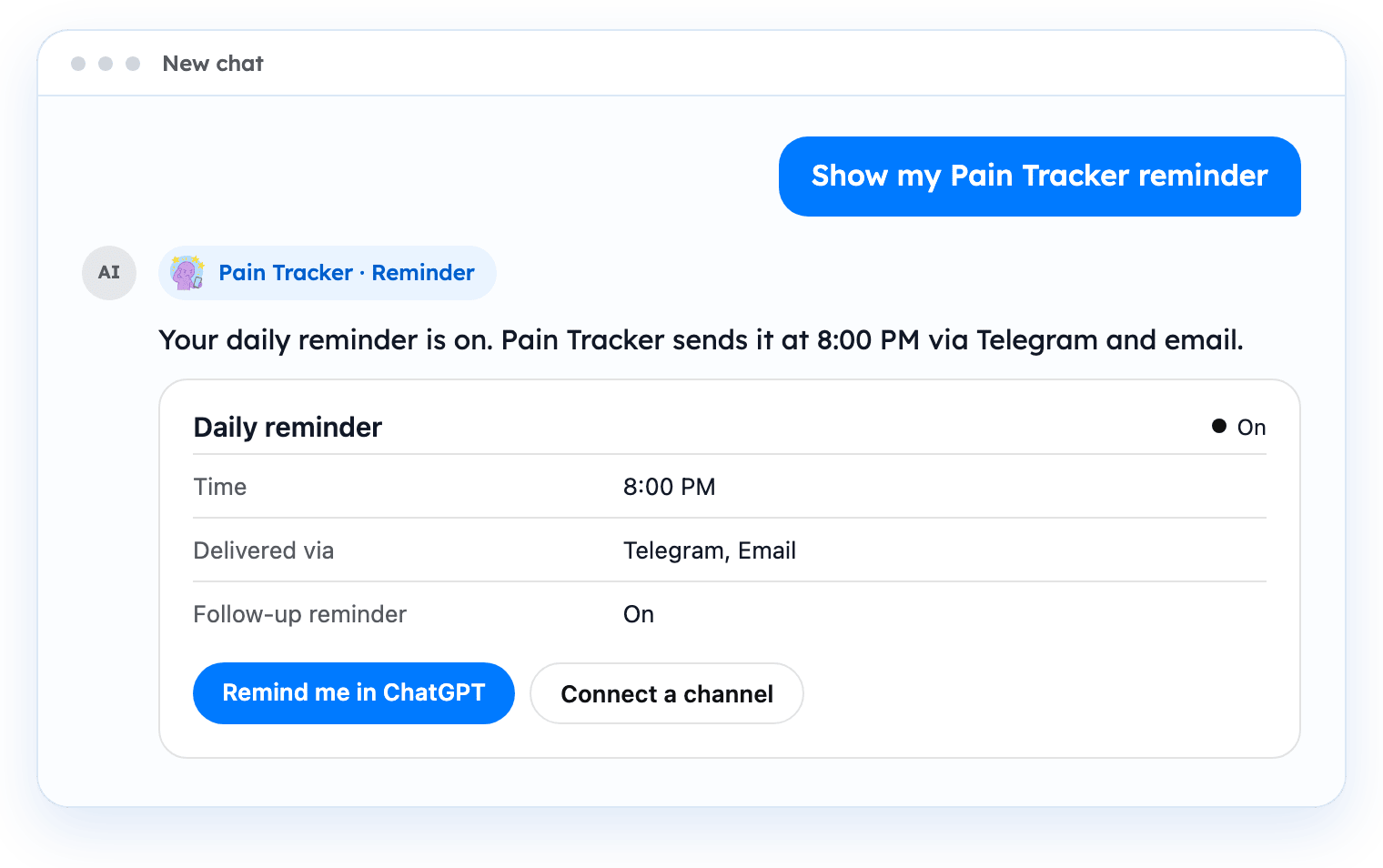
The reminder card shows whether the daily reminder is on, its time, the channels that deliver it and the follow-up reminder.
- “Remind me in ChatGPT” asks ChatGPT to create a daily scheduled task.
- “Connect a channel” shows your account and connected channels, from where you can connect Telegram or Discord.
A daily check-in in ChatGPT
You can also ask ChatGPT to create a scheduled task yourself, for example:
- “Every day at 20:00 ask me how my head was today and log my answer in Pain Tracker.”
The scheduled task is created and managed by ChatGPT, not by Pain Tracker. You can change or delete it in ChatGPT.
Settings you can change by asking
- Reminder time, for example “Set my Pain Tracker reminder to 20:30.”
- Daily reminder on or off.
- Follow-up reminder on or off.
- Language of your account: English, Russian, German or French.
- Time zone.
- Which channels deliver reminders: Telegram, Discord or email. A channel must be connected first, and email must be verified.
Connect Telegram or Discord
Ask ChatGPT, for example, “Connect Telegram to my Pain Tracker account.” ChatGPT shows a card with a one-time code and the steps.
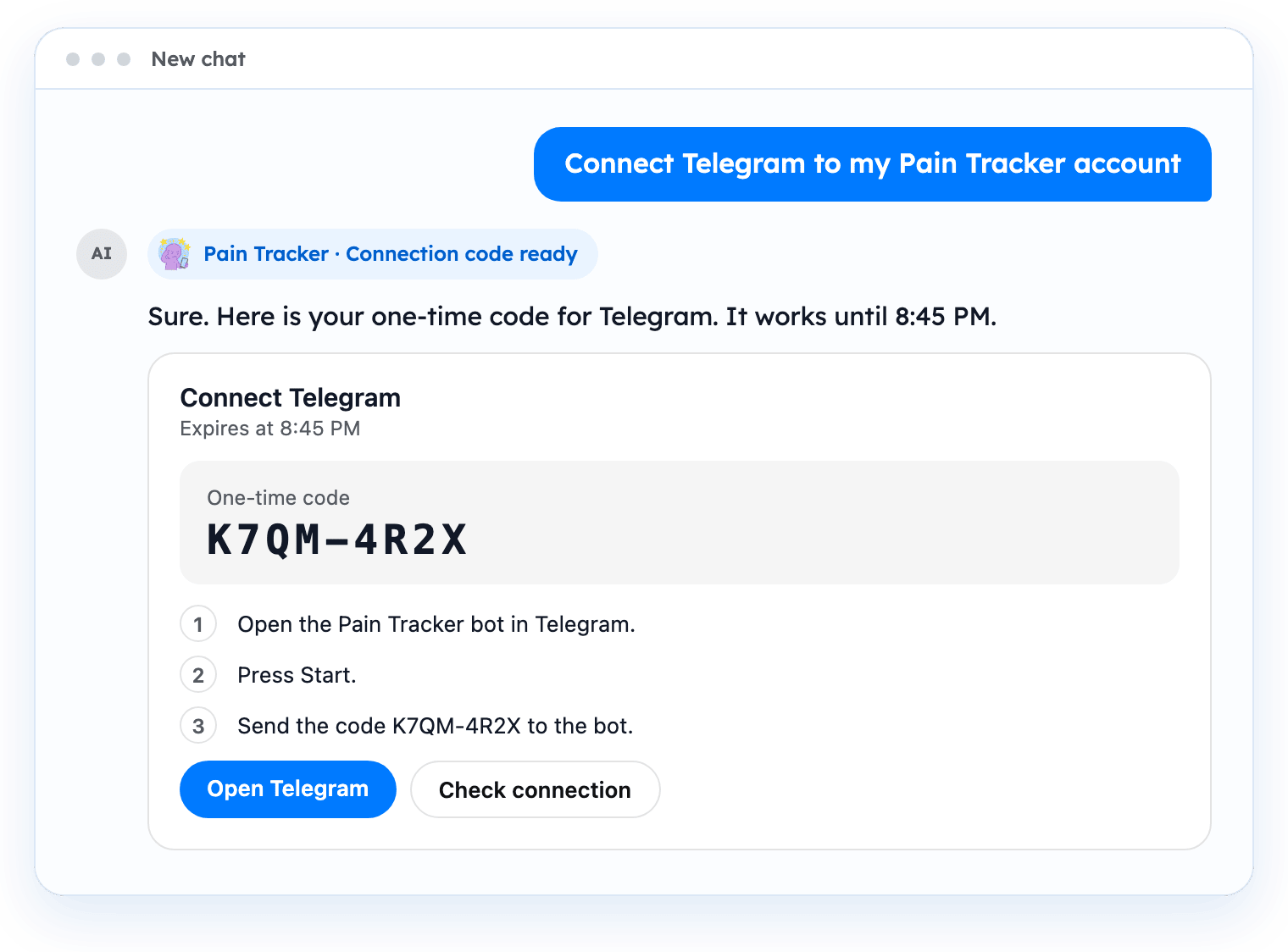
- Open the Pain Tracker bot with “Open Telegram” (or “Open Discord”) and follow the steps on the card.
- Send the code to the bot.
- Choose “Check connection” on the card to see that the channel is connected.
The code is valid for a short time and can be used once. If it has expired, ask for a new one.