Ask ChatGPT what you logged, and it shows your entries in a calendar. Ask for a summary, and it shows the key numbers of a period next to the previous one.
Review your entries
Ask for a day or a period of up to 92 days.
- “What did I log in my pain diary last week?”
- “Show my headaches in September.”
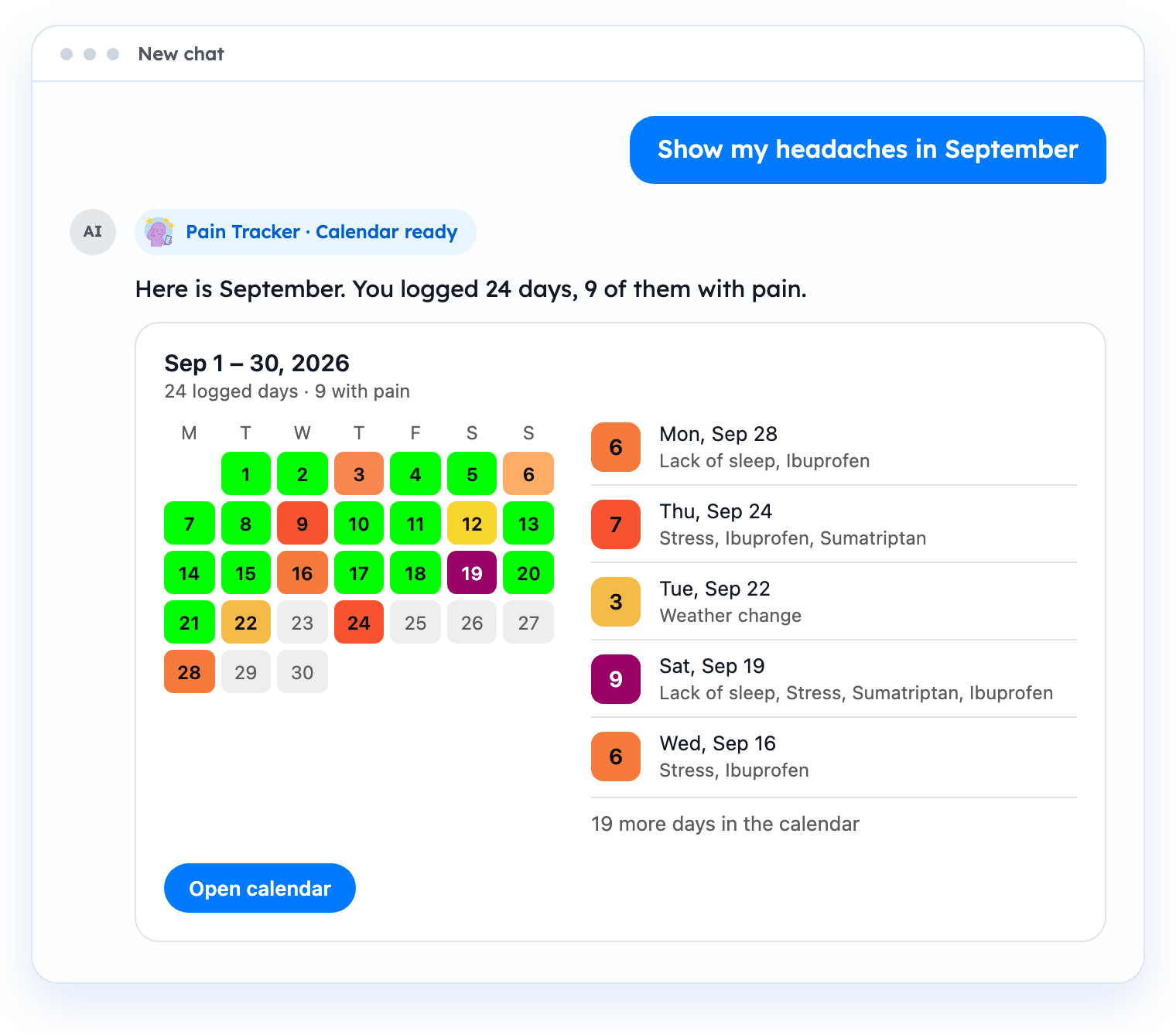
The calendar card shows a cell for every day of the period, coloured by intensity. Weeks start on Monday. Below the calendar you see the five most recent logged days. “Open calendar” opens the calendar in the web app.
Get a summary
Ask for a summary of a period of up to 366 days.
- “Summarize my headaches from the last 30 days.”
- “How often did I take ibuprofen this month?”
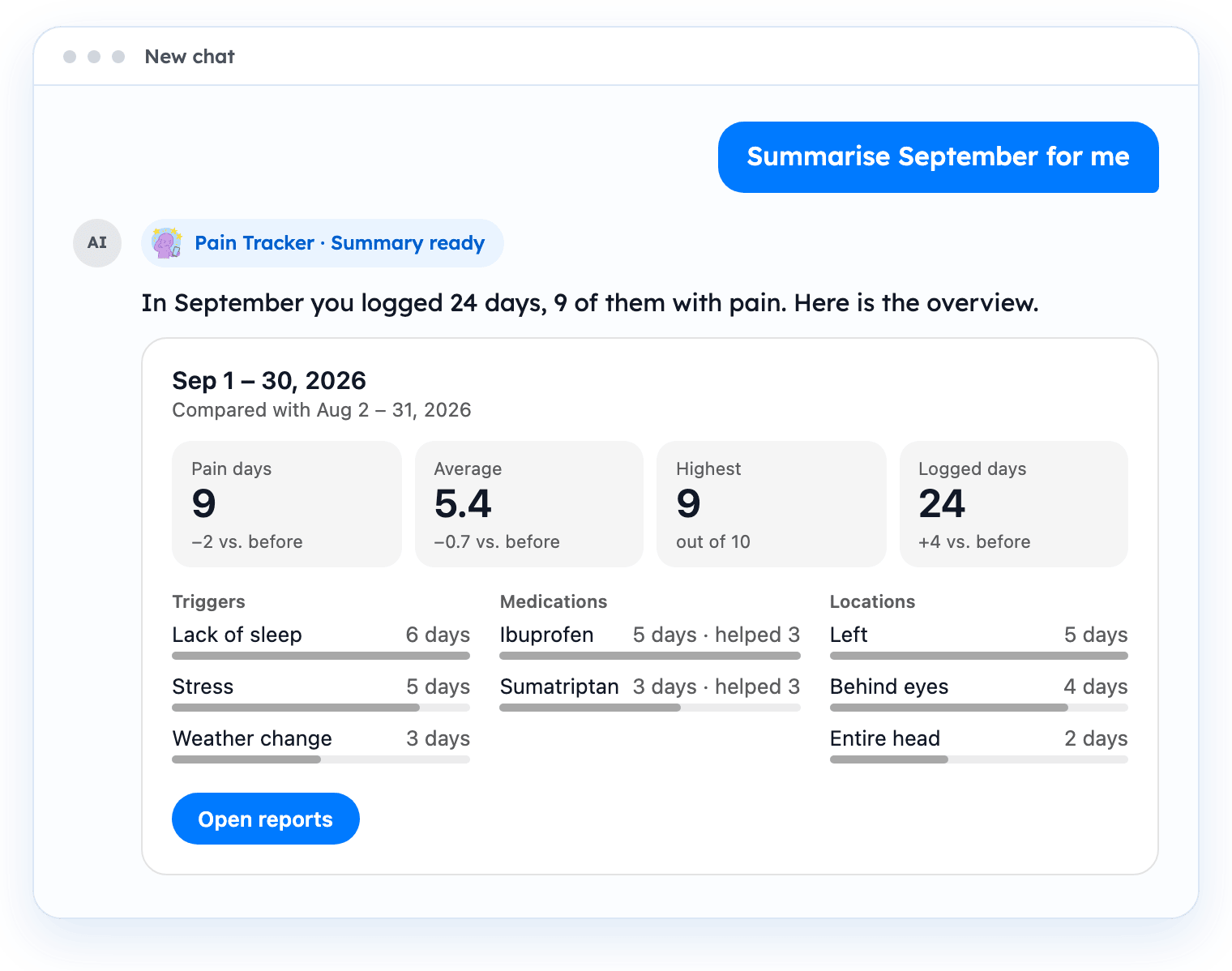
The summary card shows:
- Pain days, average and highest intensity, and logged days.
- The change compared with the previous period of the same length.
- Common triggers, medications and locations.
If the period has no entries, the card shows the figures of the previous period. “Open reports” opens the reports in the web app, where you can export your diary as PDF or CSV.